
Click Here for Remote Assistance to download our remote connection program & please follow the instructions provided by your support technician. Download and then run the SplashtopSOS program. After the program runs, you'll see a nine digit code. Please give this number to our support technician and follow their further instruction.
To submit a Support Ticket please visit our Helpdesk.
How to create "Out of Office" auto reply
Login to your email account using your web browser (Chrome, Firefox, Edge, Safari) at: mailhost.visn.net
Go to SETTINGS
Then go to OUT OF OFFICE
input the following:
SUBJECT
BODY
START TIME (date and hour)
END TIME (date and hour)
STATUS > set to ON
Click SAVE
Sample Settings:
SUBJECT: John Q Public is Out of Office
BODY: I am out of the office beginning at 1 PM on Friday, June 28 through Friday, July 5. Please call our office at 216-555-1234 if you wish to speak with a representative.
START TIME (date and hour): June 28, 13:00
END TIME (date and hour): July 8, 08:00
STATUS > set to ON
Click SAVE
We recommend using Chrome or Firefox to login to overview.visn.net.
Some versions of Internet Explorer do not properly display the data.
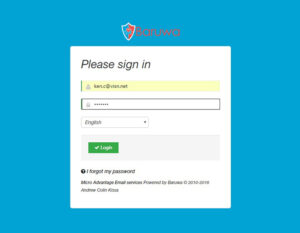
Type overview.visn.net in your browser address bar and log in with your full email address and email password.
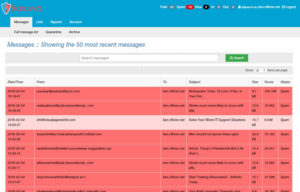
Immediately after login you will go to the MESSAGES page. You can search for any full or partial email address. Messages are color coded based on category:
PLEASE NOTE: Do not make a "wildcard" entry (meaning that anyone using a particular domain name is approved) for domains that have many thousands of email users, or you will be unnecessarily inviting spam into your inbox. Domains such as aol.com, hotmail.com, outlook.com, gmail.com, yahoo.com, sbcglobal.net, roadrunner.com and others who have hundreds of thousands of accounts should never be whitelisted using a wildcard entry. With these domains, use only the specific email address you want to be sure and receive. For your business associates who have their own corporate domain name, you'll more likely want to use a wildcard entry in the whitelist. In order to use a "wildcard" approval for any user of a specific domain, simply enter only their domain name in the "From Address" field.